> For the complete documentation index, see [llms.txt](https://docs.maplestoryn.io/llms.txt). Markdown versions of documentation pages are available by appending `.md` to page URLs; this page is available as [Markdown](https://docs.maplestoryn.io/msn-101/beginners-guide/monster-and-dungeon/monster-park.md).
# Monster Park
## **Table of Contents**
1. **How to Enter Monster Park**
2. **Monster Park Entry Requirements**
3. **Monster Park Usage Guide**
4. **Monster Park Progression**
5. **Monster Park Rewards**
## **1. How to Enter Monster Park**
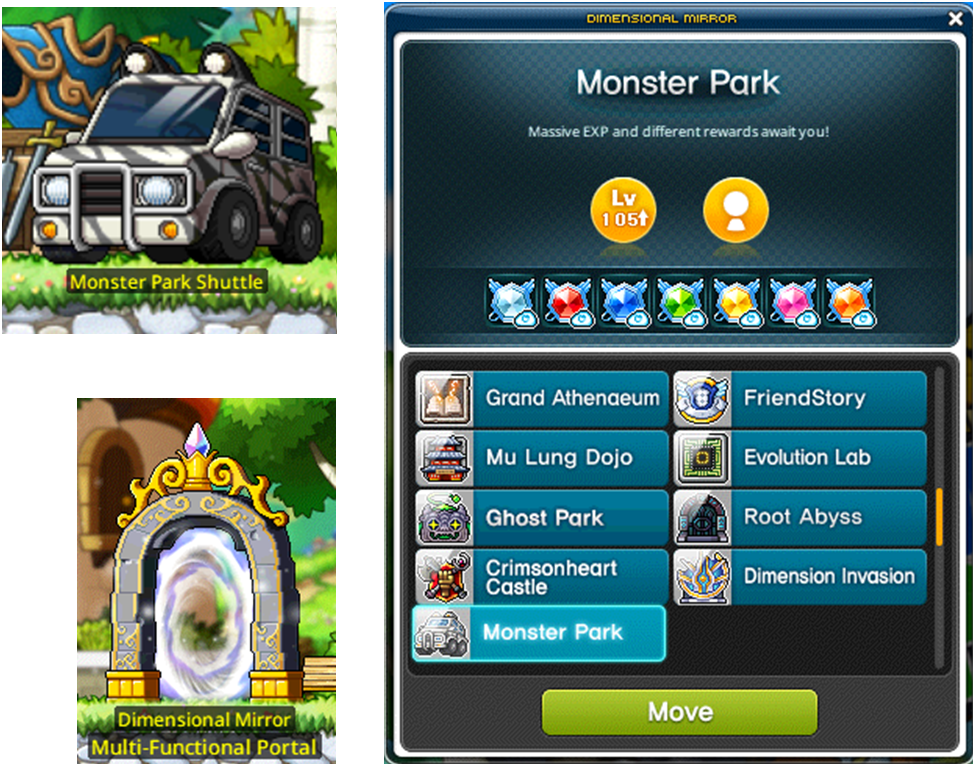
To enter Monster Park, use one of the following methods:
* The Monster Park Shuttle
* The Dimensional Mirror
* Quick Move available in each village
## **2. Monster Park Entry Requirements**
### 2.1. Beginner Dungeon
Only characters between Level 105 and Level 114 can enter.
### 2.2. Intermediate Dungeon
Only characters between Level 115 and Level 159 can enter.
### 2.3. Advanced Dungeon
Only characters Level 160 and above can enter.
## 3. Monster Park Usage Guide
* You can check the available maps and the level range of monsters in each dungeon before entering.
* You can enter Monster Park up to 7 times daily per world, which includes 2 free entries and 5 additional entries.
* For additional runs, you can either purchase more entries or use a Monster Park Coupon.
※ Daily entries (both free and purchased) reset every day at 00:00 UTC.
※ Please note that additional entries cannot be purchased during the 10-minute window before the daily reset (23:50\~00:00 UTC). You can still use any entries you already have during this time.
※ Any purchased entries you don't use by the end of the day will expire at the reset.
※ If you have both purchased entries and Monster Park Coupons, your purchased entries will be used first.
※ Once you have used all 7 of your daily entries (2 free + 5 additional), you will not be able to enter again, even if you have a Monster Park Coupon.
## **4. Monster Park Progression**
When you enter the Monster Park map, the remaining time will be displayed at the top of the screen. You must clear all stages within 10 minutes to earn rewards.

* To progress to the next stage, you must eliminate all monsters in the current stage.
* There are 6 stages in total, with a boss monster appearing in the final stage (Stage 6).
* If your HP reaches 0 in Monster Park, your clear count will not decrease.
## **5. Monster Park Rewards**
### 5.1. EXP Rewards
In Monster Park, EXP is accumulated each time you hunt a monster, and the accumulated EXP is awarded once you clear the final stage.
* If you leave Monster Park before clearing the final stage, you will not receive any of the EXP you earned.
* Please note, EXP Rewards are not affected by any buffs that increase EXP acquisition, such as EXP Coupons.
### 5.2. Raffle Rewards
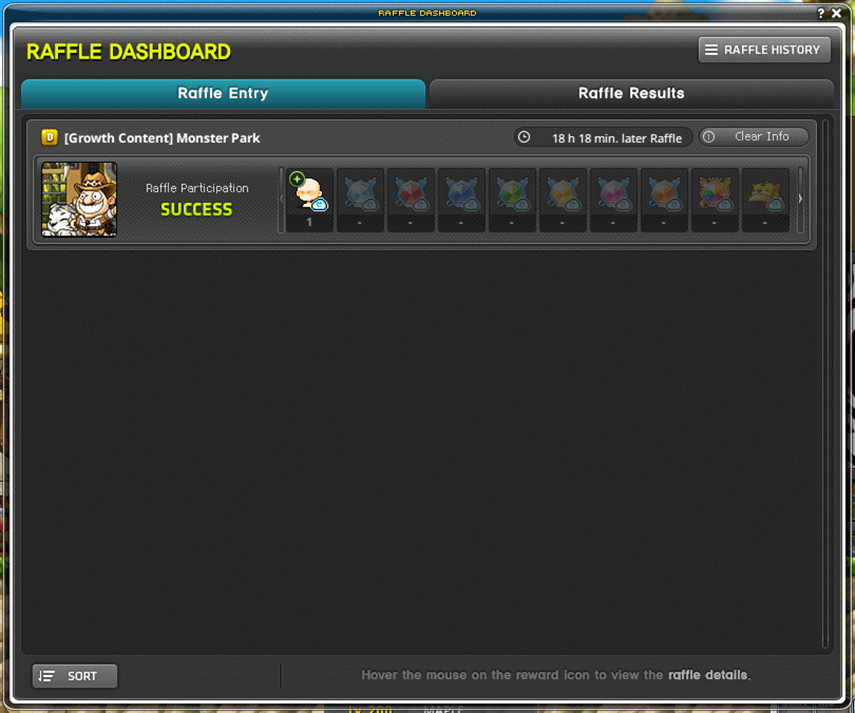
Monster Park rewards are registered on the Raffle Dashboard after completing the content, and the rewards are the same for every day of the week.
For detailed information about the Raffle Dashboard, please refer to the \[[**Raffle Dashboard Guide**](https://docs.maplestoryn.io/msn-101/learn-more/raffle-dashboard)].

---
# Agent Instructions
This documentation is published with GitBook. GitBook is the documentation platform designed so that both humans and AI agents can read, navigate, and reason over technical content effectively. Learn more at gitbook.com.
## Querying This Documentation
If you need additional information that is not directly available in this page, you can query the documentation by asking a question.
Perform an HTTP GET request on the following URL with the `ask` and `goal` query parameters:
```
GET https://docs.maplestoryn.io/msn-101/beginners-guide/monster-and-dungeon/monster-park.md?ask=&goal=
```
`ask` is the immediate question: it should be specific, self-contained, and written in natural language.
`goal` is what the user is ultimately trying to achieve, the reason they need the answer. Sharing it helps GitBook give you a better, more relevant answer. A goal is most helpful when it describes the outcome the user wants rather than restating the question. For example, with `ask=how do I create an API token`, a goal like `automate deployments from our CI pipeline` lets GitBook tailor the answer to that use case.
The response will contain a direct answer to the question and relevant excerpts and sources from the documentation.
Use this mechanism when the answer is not explicitly present in the current page, you need clarification or additional context, or you want to retrieve related documentation sections.